Skip to content
dbterm

Complete feature map · v0.6.4

One terminal. The whole database loop.

Connect at server scope, choose the database, work with its data, operate local services, and protect local or cloud sources through the same deliberate interface.

Four connected systems

More than a query screen.

01

Connect to the server, not a guess

Save one PostgreSQL or MySQL login and let the server tell you which databases are available.

  • Leave Database blank, browse every database visible to the account, and open one with the same credentials.
  • Choose an optional default or save another database connection only when a durable job needs its own target.
  • Reuse prefilled local and cloud connection details for PostgreSQL, MySQL, SQLite, Turso, and D1.
  • Keep one private per-user profile even if dbterm is accidentally launched through sudo; recover legacy root-only connections explicitly.
02

Move from object to answer

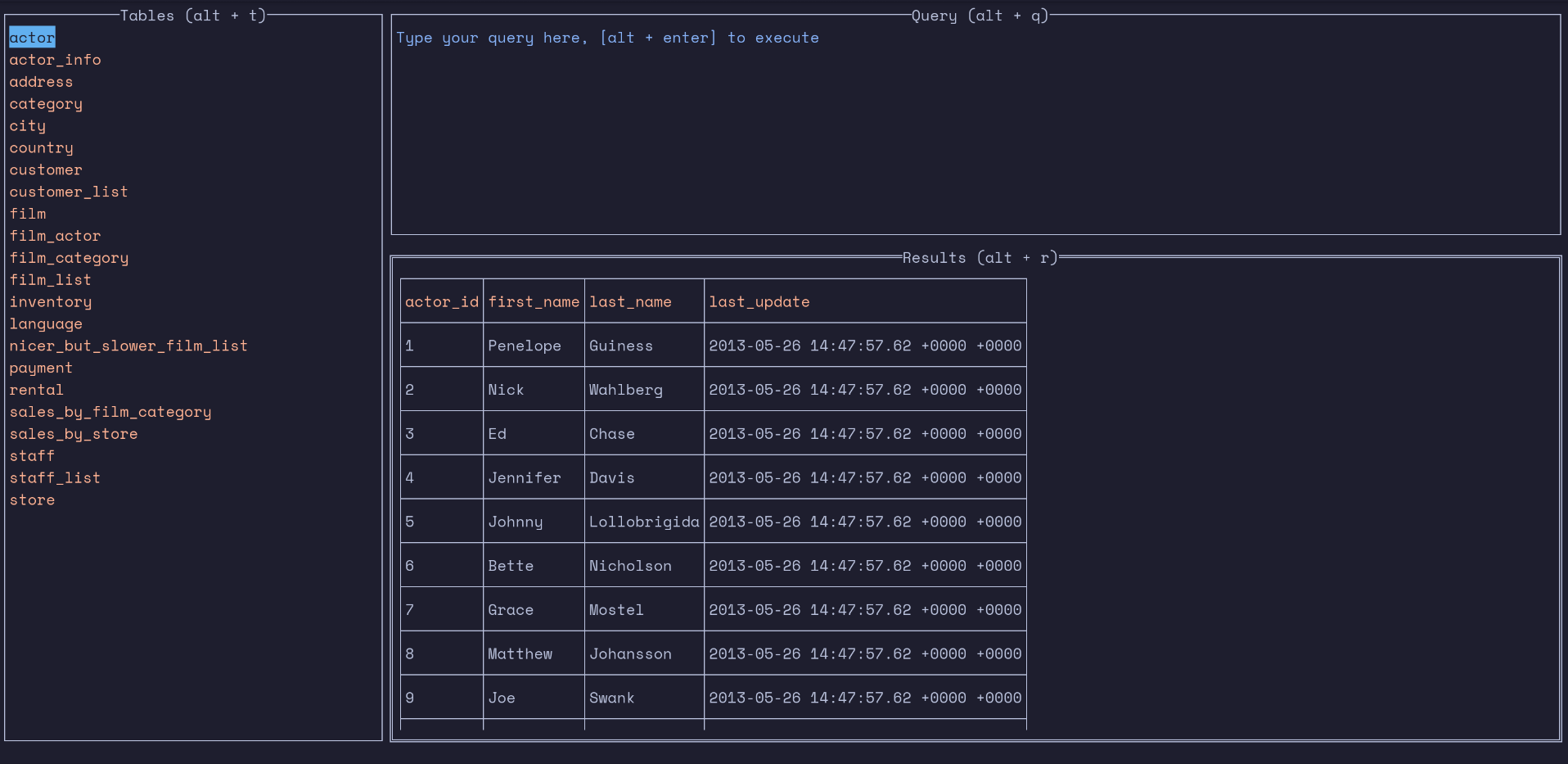
Search schema objects, run SQL, inspect typed results, and follow relationships in one keyboard model.

  • Search actions, database objects, and recent SQL from the configurable command palette.
  • Browse schema/database groups, views, functions, triggers, procedures, and extensions; type to jump and Space to pin tables.
  • Run cancellable queries with per-connection history, preview limits, and protection against stale asynchronous results.
  • Filter with typed AND conditions, sort and page, inspect full cells, follow composite foreign keys, and return through the navigation stack.
03

Operate without leaving the terminal

Use the same workspace for data movement and the local database services behind it.

  • Inspect columns, keys, foreign keys, and indexes without writing metadata queries by hand.
  • Stream selected rows, the current page, or every server-side filtered match to CSV with cancellation and no-clobber publication.
  • Import PostgreSQL and MySQL SQL dumps with official clients, progress reporting, cancellation, and stop-on-error control.
  • Inspect, start, and stop local MySQL/PostgreSQL services; connect using a saved database login and browse the server from there.
04

Protect the database after the TUI closes

Build a verified artifact pipeline around local or remote data, with a native agent owned by the operating system.

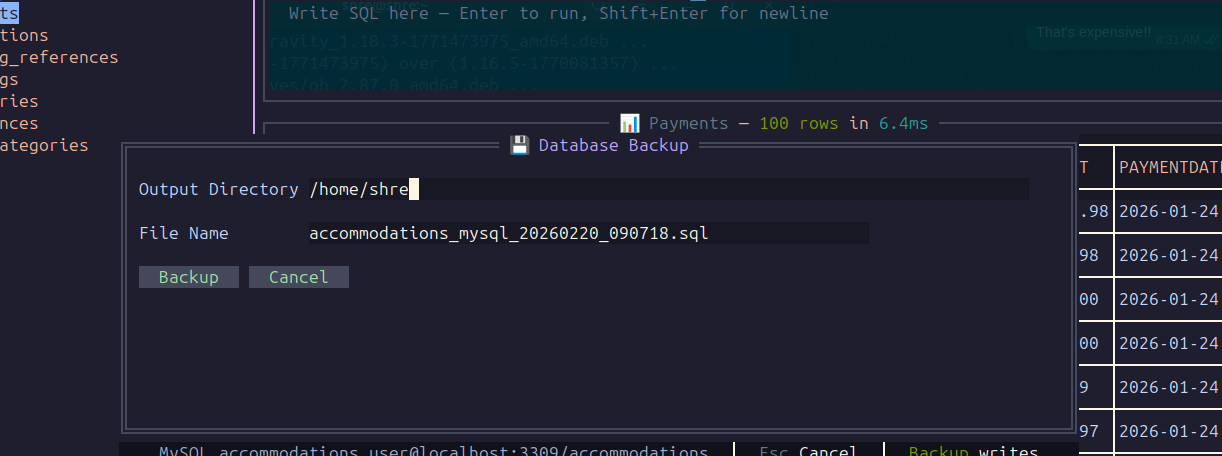
  • Back up local or remote sources to absolute local/mounted folders or rclone remotes—every source/destination pairing is supported.
  • Verify native dumps, compress with gzip, ZIP, or zstd, optionally encrypt with age X25519, hash, and publish without replacement.
  • Schedule manual, interval, daily, or weekly jobs; bound storage by count, age, and total size; notify through Gmail-ready or custom SMTP.
  • Inspect file content through compression/encryption layers, then use guarded merge or clean restore for PostgreSQL, MySQL/MariaDB, or local SQLite.

Engine capability matrix

Five focused integrations.

Support is explicit by workflow, so backup availability is not mistaken for restore availability.

Scroll horizontally to inspect every engine capability.

EngineConnectionWorkspaceBackup formatRestore
PostgreSQLServer login + database discoveryQuery, schema, objects, importCustom pg_dump archiveMerge or guarded clean
MySQL / MariaDBServer login + database discoveryQuery, schema, objects, importSingle-database mysqldump SQLMerge or guarded clean
SQLiteLocal database fileQuery, schema, objectsConsistent built-in snapshotStaged snapshot or SQL
Turso / LibSQLCloud URL + tokenQuery, schema, objectsSingle-transaction logical SQLInspect only in this release
Cloudflare D1Account + database + tokenAPI query, schema, objectsCloudflare native exportInspect only in this release

End-to-end workflow

Connect once. Keep moving.

  1. 01

    Save

    Store one private, reusable connection or server login.

  2. 02

    Choose

    Browse accessible databases and open the one you need.

  3. 03

    Work

    Query, inspect, filter, navigate, import, and export.

  4. 04

    Protect

    Run now or schedule a verified local/remote backup.

  5. 05

    Recover

    Inspect content first, then restore through explicit guards.

Operational safety

The guardrails are features.

Private state

Atomic private connection/settings files, private backup staging, and a transactional SQLite job catalog.

Honest progress

Real phases, byte growth, elapsed time, rate, and ETA only where a trustworthy total exists.

Bounded work

Preview limits, streamed exports/restores, decoded-layer caps, cancellation, timeouts, and one-worker backup serialization.

Native supervision

systemd, launchd, or Task Scheduler registration with separate runtime and startup state, heartbeat, PID, memory, and logs.

Conservative cleanup

Retention touches only recorded artifacts in the exact destination and rechecks identity, size, and checksum before deletion.

Explicit destruction

No-clobber publication, merge restore by default, and exact-name confirmation before a clean restore.

Work with the data.
Protect the data.